 Max Movie Maker
Free · No sign-up · No watermark
The free movie studio that opens in your browser
Write it, storyboard it, animate it in 2D or 3D, edit it, score it and export it. Max Movie Maker is complete video production software in one browser tab.
Open the studio – it’s freeSee what’s inside
Works best in Chrome or Edge on a laptop or desktop.
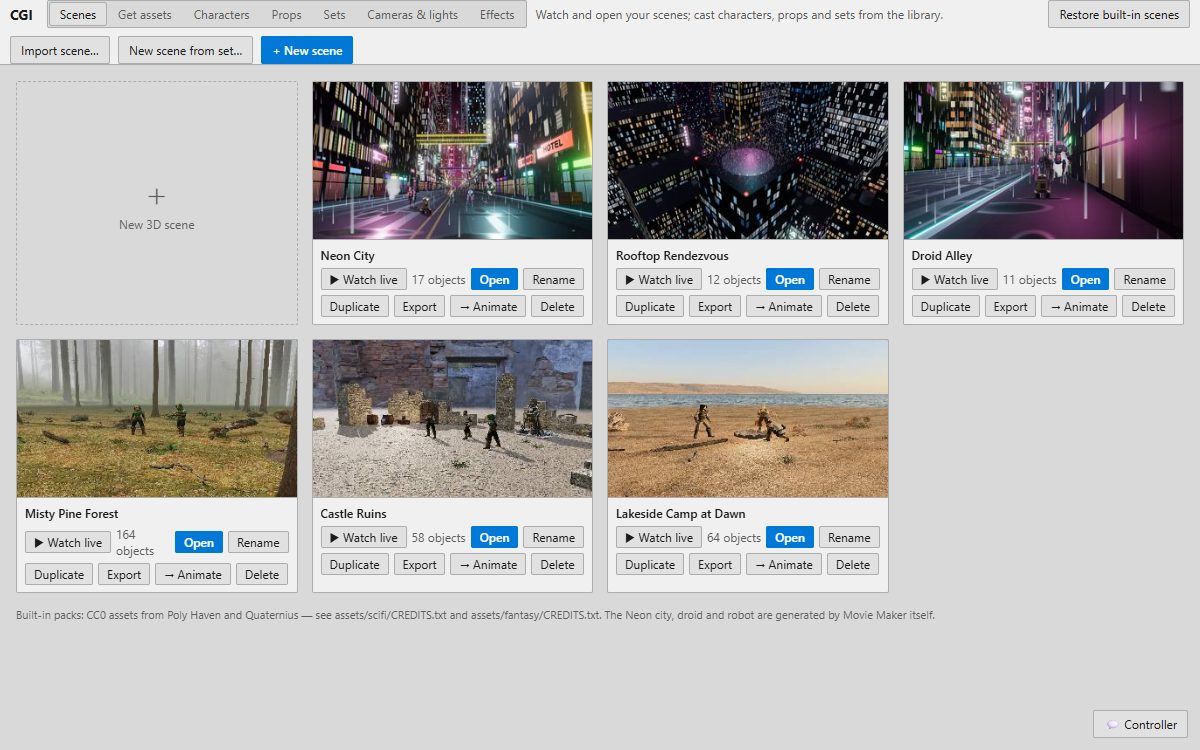
Every stage of a film, in one place
Most free tools do one job. Here the script, the boards, the animation, the edit and the soundtrack share one project.
Edit
A multi-track timeline: cut, trim, titles, transitions, keyframes, color, captions and an audio mixer.
Script
Concept, cast, places, a beat outline and the screenplay, with Fountain export.
Storyboard
Break the script into shots, board each one and play it as a timed story reel.
Animate
Rigged 2D puppet characters with expressions, walks and lip-sync to your voice.
CGI
3D sets, characters, lights and cameras, with starter scenes ready to shoot.
Inkwell
Model sheets and hand-drawn animation for characters you design yourself.
FX
Fire, smoke, sparks, rain, glows and other 2D effects for your shots.
Music & sound
A score that follows your scenes, sound effects and voice recording.
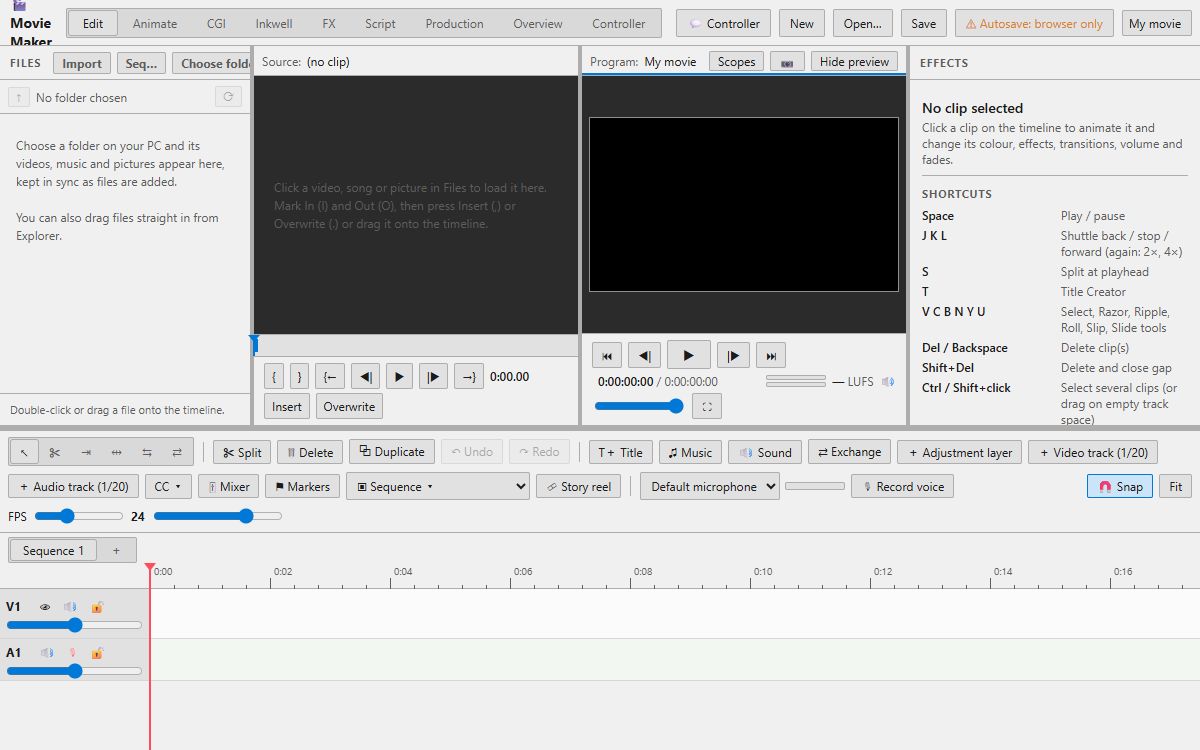
A real editor, not a template
- Several video and audio tracks, sequences and markers
- Split, trim, ripple and roll with the keys editors use (J K L, S)
- Titles, transitions, keyframed motion and color
- Record voice-over straight into the timeline
- Export MP4 or WebM, horizontal or vertical, with no watermark
From idea to finished video
Write
Outline the beats and write the script.
Board
Board the shots and time them as a story reel.
Make
Animate puppets, shoot 3D scenes or drop in footage.
Edit
Cut it together, add music, sound and titles.
Export
Save an MP4 and share it anywhere.
Made for
Creators
YouTube videos, Shorts, channel intros and animated explainers.
Students and teachers
Class projects and film lessons on school computers, with nothing to install.
Filmmakers
Scripts, storyboards, animatics and short films, start to finish.
Small businesses
Ads, product explainers and social videos without an agency.
Animators
2D puppets, hand-drawn shots and 3D scenes in one pipeline.
Musicians
Music videos and visualizers cut to your track.
Guides
Studio Helper – Connect Blender, FFmpeg and Whisper
Free Studio Helper for Max Movie Maker: connect your own Blender, FFmpeg, whisper.cpp and Unreal Engine for high-quality 3D renders, masters and transcription.
Free Video Production Software in Your Browser
Write, storyboard, animate, edit, score and export a whole video for free. Max Movie Maker is complete video production software that opens in a browser tab.
Free Online Video Maker – No Watermark, No Sign-Up
Make videos online for free with a real multi-track editor: cut clips, add titles, music, transitions and effects, then export MP4. No watermark and no sign-up.
Free Animation Software in Your Browser (2D and 3D)
Free 2D and 3D animation software that opens in a browser: rigged puppets with lip-sync, hand-drawn animation, 3D scenes and cameras. Nothing to install.
Free 3D Animation Software Online – Sets, Cameras, Lights
Make 3D animated scenes online for free: starter sets, characters, props, lights and cameras, then cut the shots into a film. A browser alternative to big 3D suites.
Free Storyboard Maker – Shots, Story Reel, Animatic
Make storyboards free online: break a script into shots, draw or stage each frame, add camera arrows, then play it as a timed story reel (animatic) against the dialogue.
Questions
Is Max Movie Maker free?
Yes, completely. Every feature and every export is free, with no watermark and no trial.
Do I need to download or install anything?
No. Max Movie Maker opens in your browser. Chrome or Edge on a laptop or desktop works best.
Do I need an account?
No. Open the studio and start making; there is no sign-up.
What can I make with it?
YouTube videos, animated explainers, cartoons, music videos, class projects, ads and short films: anything that combines footage, animation, 3D, titles, music and sound.
How do I keep my project?
Press Choose folder in the studio and pick a folder on your computer, then save with Ctrl+S. Open it again any time with Open.
What video formats can I export?
MP4 (H.264) and WebM, in the size and frame rate you choose, including vertical 9:16 for Shorts, TikTok and Reels.
Can it use Blender, FFmpeg or other desktop programs?
Yes, if you have them. Download the free Studio Helper, start it, and pick your project folder: the studio can then hand Blender renders, FFmpeg masters and whisper transcription to the programs on your computer.
Will it run on my computer?
Any recent Windows, Mac, Linux or ChromeOS computer with Chrome or Edge runs the editor and 2D tools. 3D scenes use your graphics chip and are smoother on stronger machines.